Vector Illustration Concepts and the Power of Gradient Mesh Backgrounds
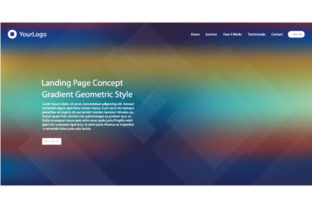
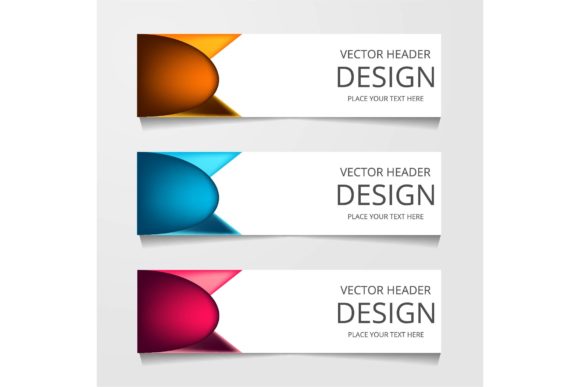
Vector illustration concepts have become a cornerstone in modern design, offering precision, scalability, and versatility that raster-based formats cannot match. At the heart of this creative movement lies the use of vector graphics, which allow designers to create clean, sharp visuals that maintain quality at any size. One of the most compelling features within this domain is the gradient mesh background, a technique that adds depth, dimension, and visual interest to otherwise flat illustrations.
The integration of gradient mesh backgrounds into vector illustrations opens up a world of possibilities for both professional and amateur designers. This feature enables the creation of smooth color transitions that can mimic real-world lighting effects, making illustrations more dynamic and engaging. When paired with editable colors and shapes, these elements offer a level of customization that caters to a wide range of design needs, from branding materials to digital art projects.
Understanding Vector Illustration Concepts
At its core, a vector illustration is composed of points, lines, and curves defined by mathematical equations rather than pixels. This structure allows for infinite scalability without loss of quality, making vectors ideal for logos, icons, and other graphic elements that need to be used across various mediums. The concept of vector illustration extends beyond just the technical aspects; it encompasses the artistic approach to creating visuals that are both functional and aesthetically pleasing.
One of the key advantages of vector illustration is its adaptability. Designers can easily modify elements such as color, shape, and size without compromising the integrity of the image. This flexibility is especially valuable when working on projects that require multiple revisions or adjustments. Additionally, vector files are typically smaller in file size compared to raster images, making them easier to handle and share.
The Role of Gradient Mesh Backgrounds in Vector Art
Gradient mesh backgrounds add a new dimension to vector illustrations by introducing subtle shifts in color and tone. Unlike traditional gradients, which rely on linear or radial transitions, a gradient mesh allows for more complex and nuanced color blending. This technique involves dividing an area into a grid of nodes, each of which can be individually colored, resulting in a highly detailed and realistic effect.
This feature is particularly useful for creating lifelike textures, such as skin tones, fabric patterns, or natural landscapes. By using a gradient mesh, designers can achieve a level of detail that would be difficult to replicate with standard vector tools. Furthermore, the ability to edit individual nodes provides precise control over the final appearance, allowing for fine-tuned adjustments that meet specific design requirements.
Exploring the Benefits of Editable Colors and Shapes
One of the standout features of many vector illustration templates is the ability to edit colors and shapes freely. This functionality empowers users to customize their designs according to their unique needs, whether they are working on a personal project or a client’s branding material. The availability of editable elements ensures that the design remains flexible and adaptable throughout the creative process.
For instance, a designer might start with a base template featuring a gradient mesh background and then adjust the colors to align with a brand’s color palette. Similarly, shapes can be modified to fit specific layout requirements or to enhance the overall composition. This level of customization not only saves time but also fosters creativity by allowing designers to experiment with different visual approaches.
Utilizing Vector Templates for Efficiency and Consistency
Vector templates provide a structured foundation for creating consistent and high-quality illustrations. These templates often include pre-designed elements such as shapes, gradients, and backgrounds, which can be customized to suit individual projects. By leveraging these resources, designers can streamline their workflow and maintain a cohesive visual identity across multiple pieces of work.
Many vector templates are available in Adobe Illustrator Creative Cloud (AiCC) and Encapsulated PostScript (EPS) formats, ensuring compatibility with a wide range of design software. The use of EPS files, in particular, guarantees that the illustrations retain their quality and resolution when exported or shared. This makes them ideal for professional use, where precision and clarity are paramount.
Real-World Applications of Vector Illustrations
Vector illustrations find applications in a variety of industries, from marketing and advertising to education and research. In the field of marketing, for example, vector graphics are commonly used for creating logos, social media assets, and promotional materials. Their scalability ensures that these elements look sharp and professional regardless of the platform or medium they are displayed on.
In educational settings, vector illustrations are invaluable for creating infographics, diagrams, and instructional materials. Their clarity and ease of modification make them well-suited for conveying complex information in a visually appealing manner. Researchers and data analysts also benefit from vector graphics when presenting findings through charts, graphs, and visualizations that require precise formatting and consistent styling.
Considerations for Effective Vector Design
While vector illustration concepts offer numerous advantages, there are several considerations to keep in mind when working with these tools. One important factor is the complexity of the design. Although vector graphics are scalable, overly intricate illustrations may result in large file sizes and slower performance, especially when working with limited system resources.
Another consideration is the choice of software. Adobe Illustrator is one of the most popular tools for creating vector illustrations, thanks to its robust feature set and industry-standard status. However, there are other options available, such as Inkscape and CorelDRAW, which may offer similar capabilities at a lower cost. Selecting the right software depends on the user’s specific needs, budget, and level of expertise.
Conclusion: Embracing the Potential of Vector Illustration
Vector illustration concepts continue to evolve, driven by advancements in design technology and the growing demand for high-quality, scalable graphics. The inclusion of features like gradient mesh backgrounds, editable colors, and shapes enhances the versatility and appeal of vector illustrations, making them an essential tool for designers across various disciplines.
By understanding the principles and techniques behind vector illustration, professionals and enthusiasts alike can unlock new creative possibilities and produce visually striking designs that meet the demands of modern visual communication.